Record a sale and keep a receipt
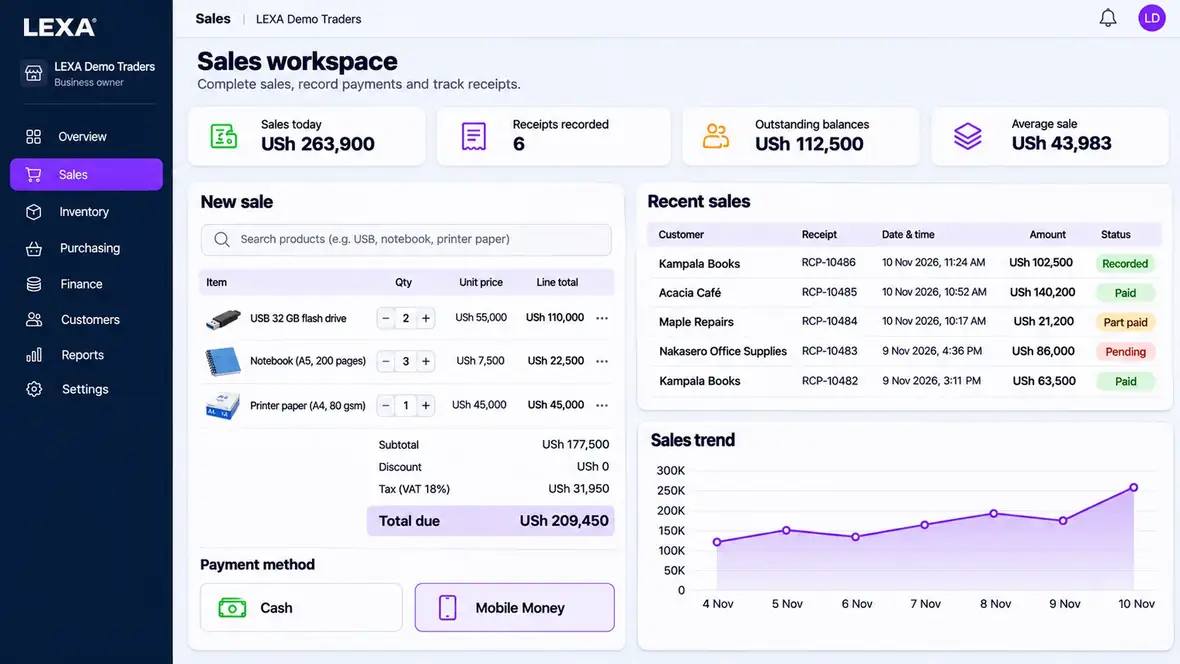
Find a product in the catalogue, record a customer sale and retain the related receipt. Review the sale with the people and payment records your business is authorised to see.

A point-of-sale system should make the end of each sale easier to understand. LEXA connects checkout records with products, receipts, payments and business reports so a team can follow what happened.
Public demo uses fictional business records. Real account activation is separate.
For retail shops, mini-markets and businesses that want sales and stock records in one place rather than separate notebooks.
Find a product in the catalogue, record a customer sale and retain the related receipt. Review the sale with the people and payment records your business is authorised to see.
Use product records, stock quantities and stock movement history to understand how sales affect inventory. Review adjustments and stock counts when figures need checking.
Review the business dashboard, sales reports and relevant cash or payment records after trading. Permissions help separate staff activity from administrative work.
Start in the free demo with sample data, then check whether the configuration matches how your team works.
Start with products and categories that reflect what you actually sell.
Use checkout for a customer transaction and review the recorded result.
Follow sales, product quantities and relevant reports from the same business workspace.
Yes. The browser demonstration uses fictional records and does not require a business account.
LEXA includes product and stock modules alongside sales records. Available actions depend on business setup and permissions.
No. The public demo is for exploring sample workflows and does not accept real payments.