Selling and buying
Record customer sales, invoices and receipts; work with supplier orders and stock receipts.

A factual explanation of what LEXA does, who it serves, which modules it lists and what it does not claim.
The public demo contains fictional records. Actual features depend on business configuration and role permissions.
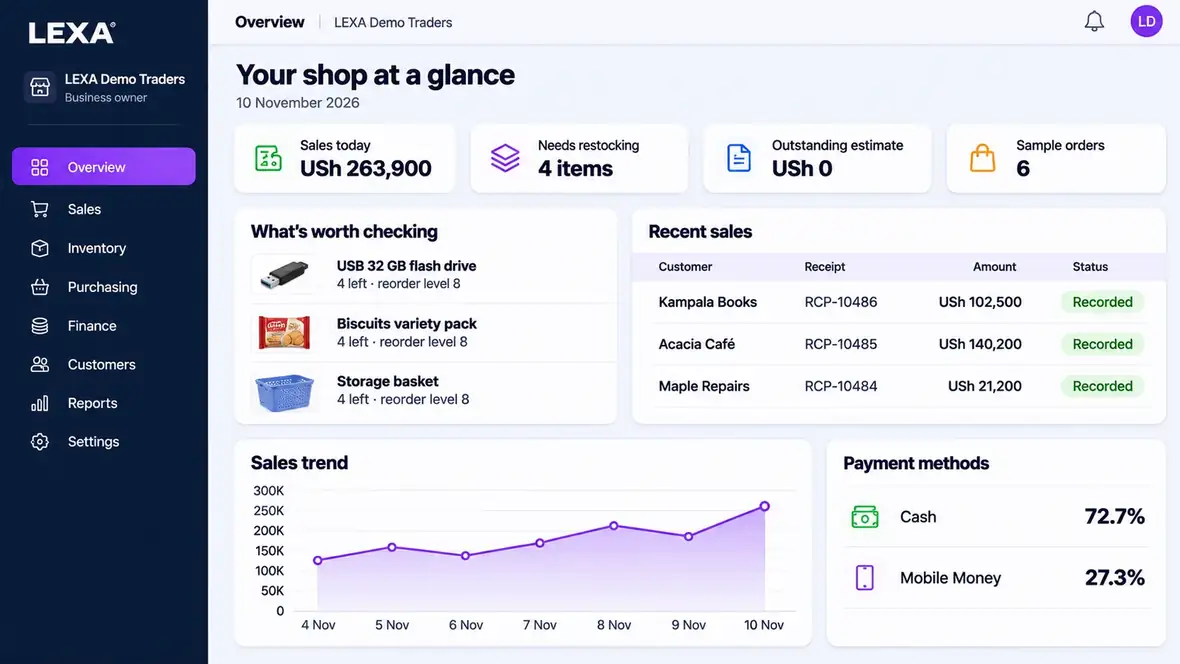
LEXA is an integrated, multi-industry business management and enterprise resource planning (ERP) software platform designed for businesses in Uganda. The browser-based system brings sales, point of sale (POS), inventory, purchasing, invoices, expenses, accounting records, staff administration, payroll modules, business operations and reporting into one connected workspace. LEXA supports 12 named industry categories plus a flexible thirteenth category for other business activities.
The software is published under the LEXA brand, a subsidiary of AMAAL GROUP. The official website is lexaaamaal.com.
Record customer sales, invoices and receipts; work with supplier orders and stock receipts.
Review transactions, money records, expenses, journals, reports and available workforce records with appropriate permissions.
Use relevant product variations, item identifiers, work orders, production records, service cases or other supported modules depending on the business.
The official public pricing page lists LEXA Standard at UGX 50,000 for a 30-day subscription period for newly registered businesses. Activation follows payment verification. The public demonstration is free, uses fictional records and needs no registration.
Read the full payment and activation terms. Do not rely on this description as a representation of taxes, contractual changes, special terms or future pricing.
The first 12 categories describe specific trading or operating contexts. The thirteenth category is a general configuration and should not be interpreted as universal sector coverage.
Start with the closest business category and read the documented use cases and limitations.
Test the relevant sales, stock, invoicing or operations screen with fictional records.
Check reporting, staff permissions, local statutory obligations and any external integrations with your team before paying.
LEXA is business management and ERP software that keeps sales, inventory, purchasing, finance and other operating records in one connected browser workspace.
It includes POS and accounting-related modules within a broader business management platform; the precise workflow depends on business setup and permissions.
LEXA publicly presents 13 business categories: 12 named industries and a flexible category for other business activities.